Your Houzez website already holds your listings: the photos, the price, the address and every detail. Getting those listings seen on social media is the part that still takes hours every week.
Today we are introducing Velisto, from the team behind Houzez. Velisto connects to your Houzez website and turns your listings into branded social media posts, stories, reels and print-ready flyers, then publishes them to Instagram, Facebook, TikTok, Threads and YouTube from one calendar.
One Listing, a Whole Campaign
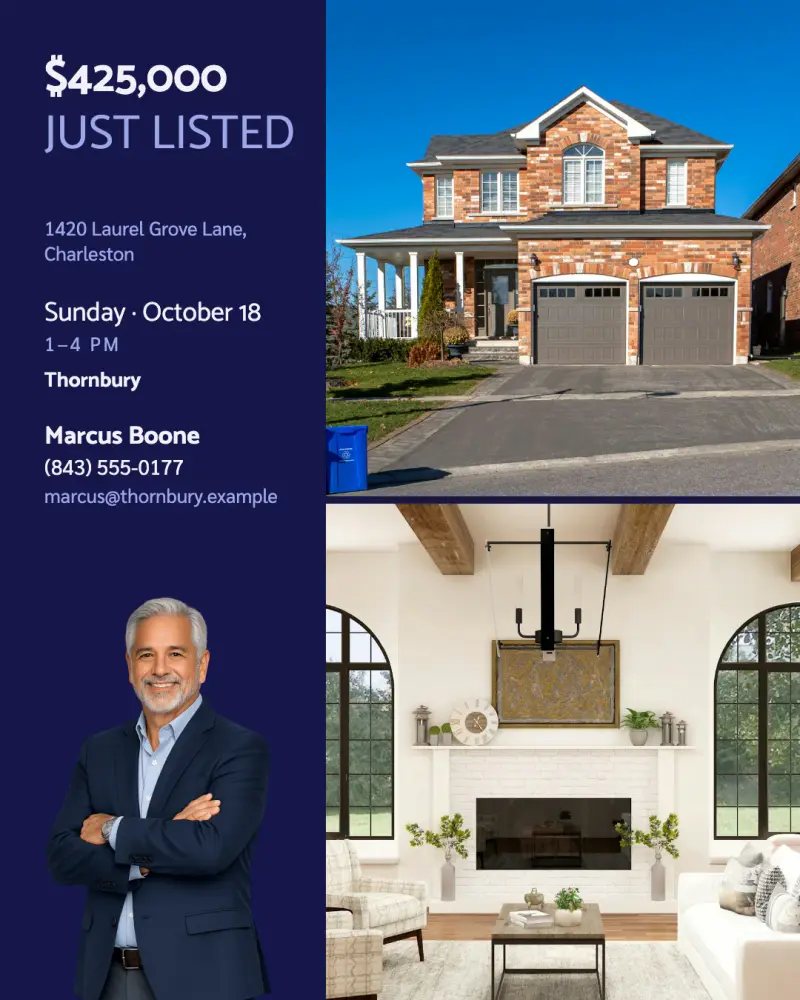
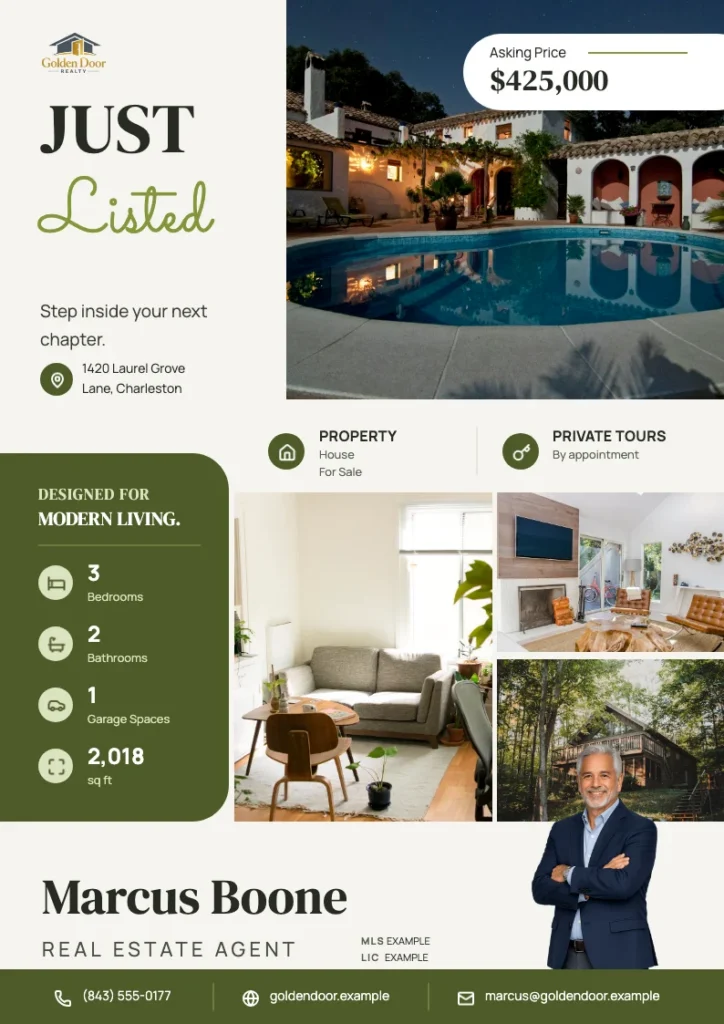
Pick a listing that synced from your website, and Velisto designs the content around it with your logo, colors and agent photo:
- Feed posts for new listings, open houses, price changes and sales
- Stories built from the same listing photos and details
- Reels and videos with your listing photos arranged into scenes, with music and your branding
- Print-ready PDF flyers for showings and open houses
Stay Visible Between Listings
Listings are only part of the picture. Velisto also suggests everyday topics for your audience, such as buyer tips, seller advice, neighborhood notes and market updates, and writes and designs the posts in your brand voice. You choose from 350+ real estate templates, and you approve every post before it goes out.



Publish From One Calendar
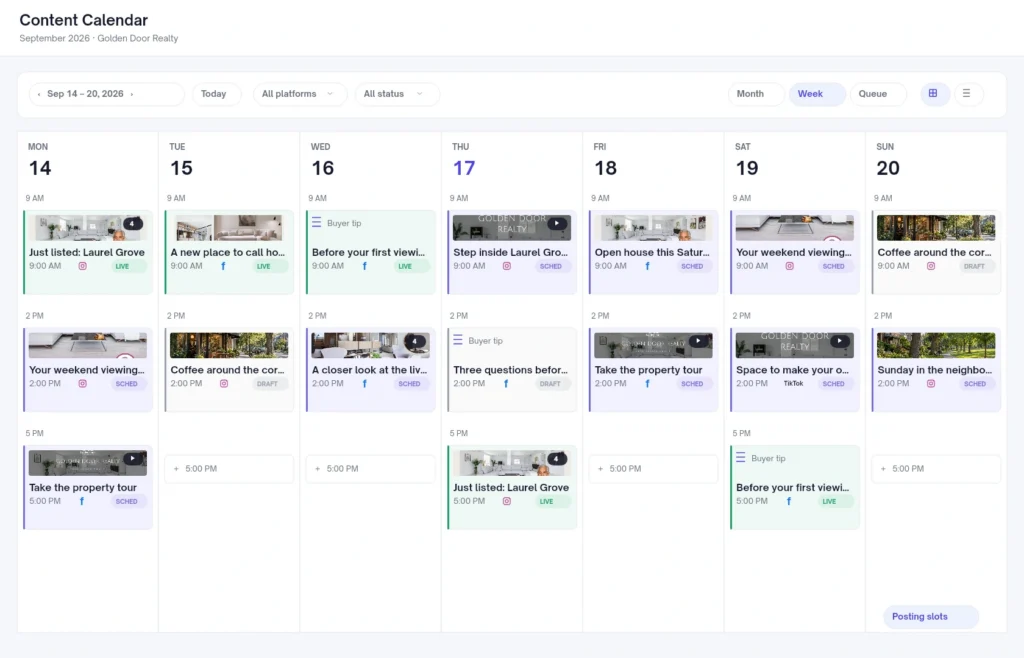
Every post lands in one content calendar. Keep it as a draft, publish it now or schedule it ahead, and Velisto publishes it at the time you choose to Instagram, Facebook Pages, TikTok, Threads and YouTube.
How It Connects to Houzez
Velisto connects with a free WordPress plugin, and setup takes a few minutes:
- In Velisto, open Workspace settings → Houzez, enter your website address and copy the connection key.
- Download the Velisto plugin, upload it in WordPress, paste the key and click Save & Verify.
- Open Listings → Import in Velisto and click Sync.
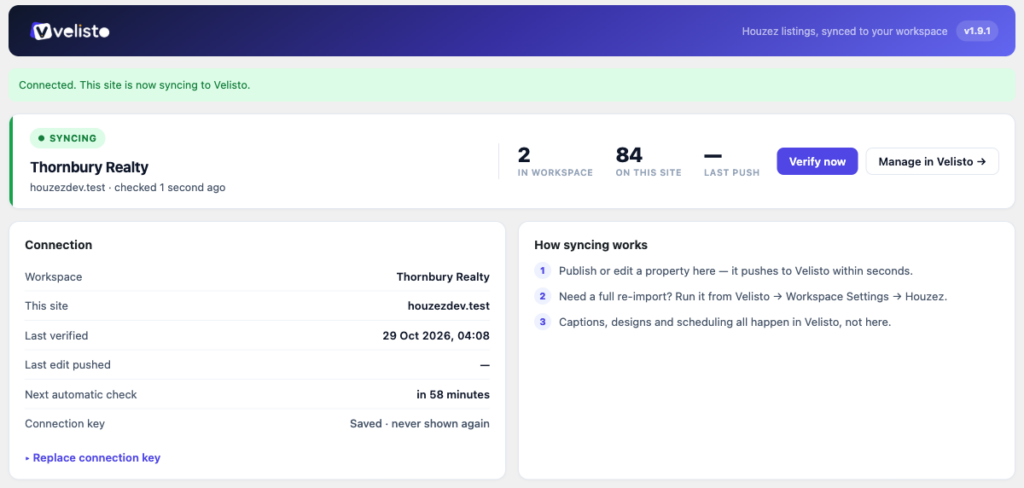
From then on, new and edited listings sync automatically. Sync goes one way, from Houzez into Velisto, so your website is never changed. If you prefer to choose listings yourself, switch to Manual only and import them one by one.
The Velisto integration guide in the Houzez documentation walks through every step with screenshots.
30% Off for Houzez Customers
As a Houzez customer, you get 30% off your first year of Velisto Solo, Team or Brokerage with the code HOUZEZ30 at checkout. Velisto starts with a 7-day free trial.
Velisto is a separate subscription from your Houzez license, and connecting it never changes your website.