
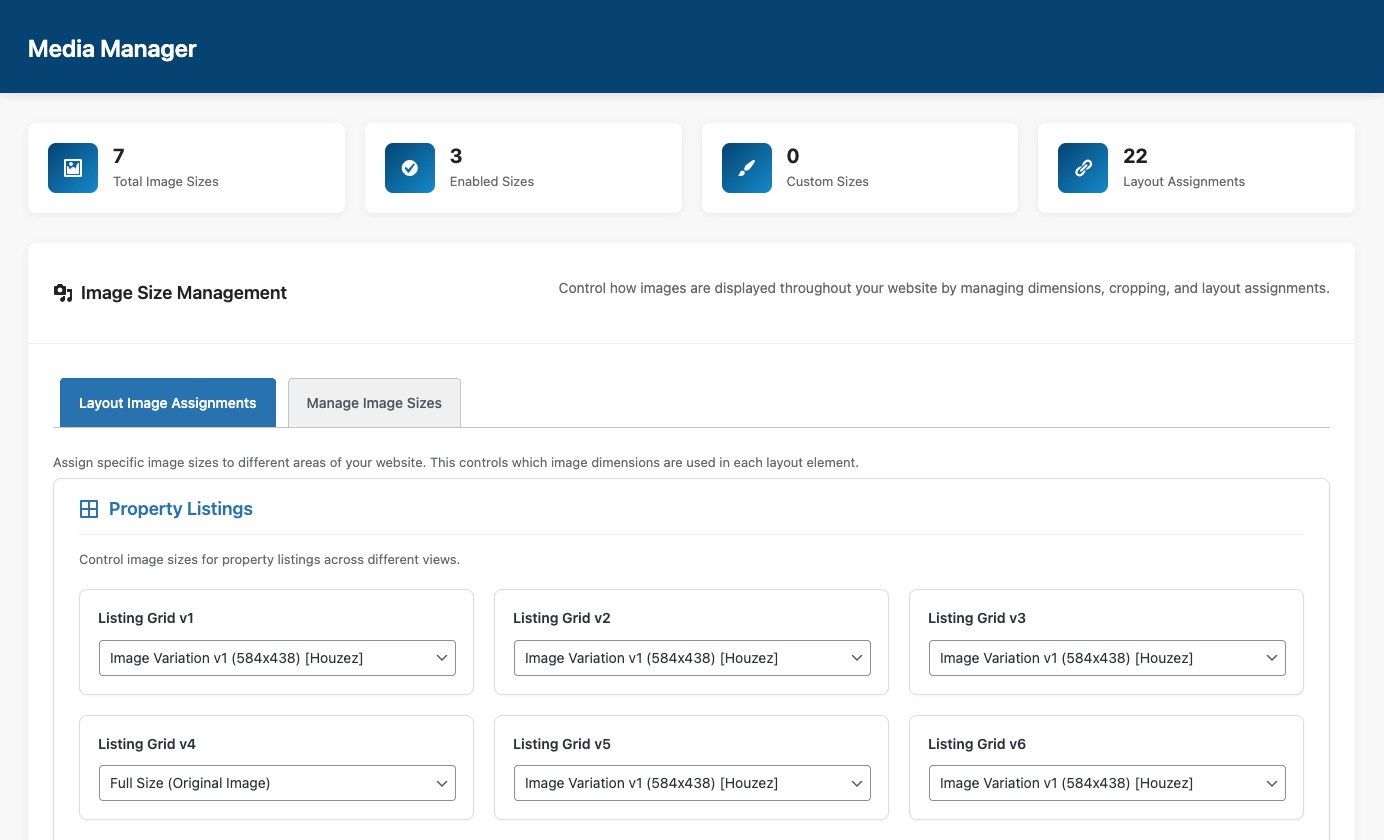
Image Size Management for WordPress Websites

Take full control of your website images with the Houzez Media Manager. Create custom image sizes, optimize layouts, reduce unnecessary image generation, and improve loading performance across your entire WordPress website.

What You Can Do

With Houzez 4.0, you can manage every image dimension from one centralized panel. This gives you better control over performance, design consistency, and responsive layouts.
expand-8

Manage all existing image sizes in one place

View and organize every registered image size used across your website. Easily understand where each image size appears inside listings, galleries, archives, and templates.

layers-front

Create your own custom image dimensions

Build custom image sizes for unique layouts and design sections. Define exact widths, heights, and crop behavior directly from the Media Manager.

Customer Relationship Management Categorization List Streamline Icon: https://streamlinehq.com

Assign sizes to specific layout elements

Choose different image sizes for listing cards, property galleries, map popups, sliders, widgets, and Elementor sections. Create a cleaner and more consistent visual experience.

Layout 1 Streamline Icon: https://streamlinehq.com layout-1

Disable default WordPress image sizes you don’t need

Reduce unnecessary image generation and save server storage space by disabling unused WordPress image dimensions.

The Media Manager Helps You Optimize Your Website

The Houzez Media Manager improves both performance and workflow efficiency. Instead of relying on multiple optimization plugins, you can manage image behavior directly inside the theme.
Database 2 Streamline Icon: https://streamlinehq.com

Reduce storage usage

Prevent WordPress from generating unnecessary image sizes and reduce disk space usage on your hosting environment.

Flash Streamline Icon: https://streamlinehq.com

Speed up image loading

Use properly optimized image dimensions across property pages and listing layouts to improve loading performance and user experience.

Text Image Left Streamline Icon: https://streamlinehq.com

Avoid layout misalignments

Create consistent image ratios across grids, galleries, carousels, and archive pages to maintain clean layouts on every device.

Workflow Teamwork High Five Streamline Icon: https://streamlinehq.com

Simplify your workflow

Manage image settings from one organized dashboard without editing code or installing additional tools.

Frequently Asked Questions

The Houzez Media Manager is a built-in system that helps you manage image sizes, cropping, and image assignments across your WordPress website.
Yes. You can create unlimited custom image dimensions and assign them to specific layout areas and website sections.
Yes. Reducing unnecessary image generation and using optimized image sizes can help improve loading speed and reduce storage usage.

Yes. Houzez allows you to disable unused WordPress image sizes directly from the Media Manager panel.

Yes. The Media Manager is included inside Houzez with no additional plugin required.