Houzez 4.4.0 is now available, bringing new ways to design property listings, more Elementor widgets, a brand-new demo, improved styling controls, and a major update to how Houzez handles outgoing email.
This release also includes several PHP 8 compatibility fixes and improvements across property pages, search, agent and agency forms, and the Houzez Theme Functionality plugin.
Here are the highlights.
Meet Houzez Demo 49
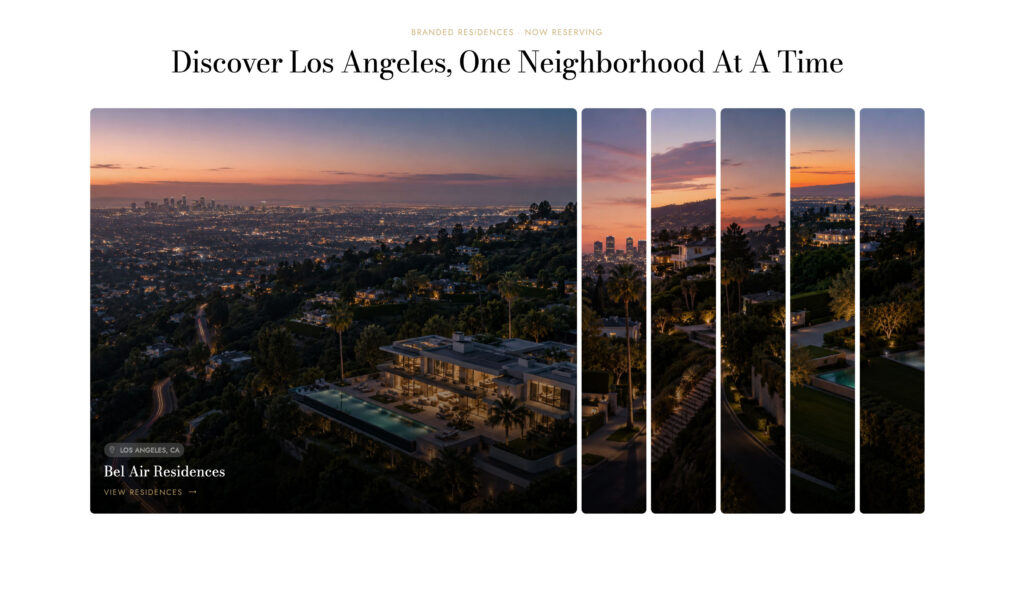
Houzez 4.4 introduces Demo 49, a new ready-made real estate website design built with the latest Houzez layouts and design tools.
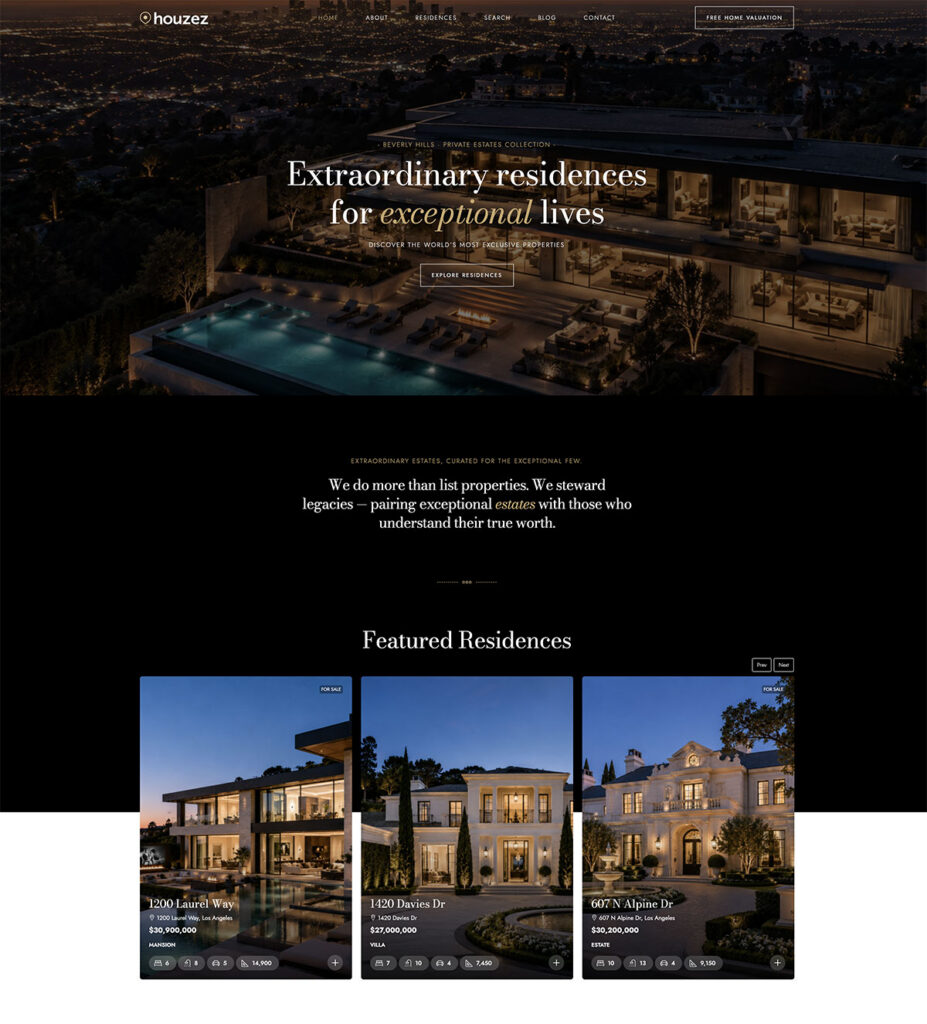
It provides another starting point for agencies, Realtors, developers, and real estate businesses looking to launch a professional website without designing every page from scratch.
New Property Listing Layouts: Grid v8, Grid v9 & List v8
One of the biggest additions in Houzez 4.4 is a new generation of property listing layouts.
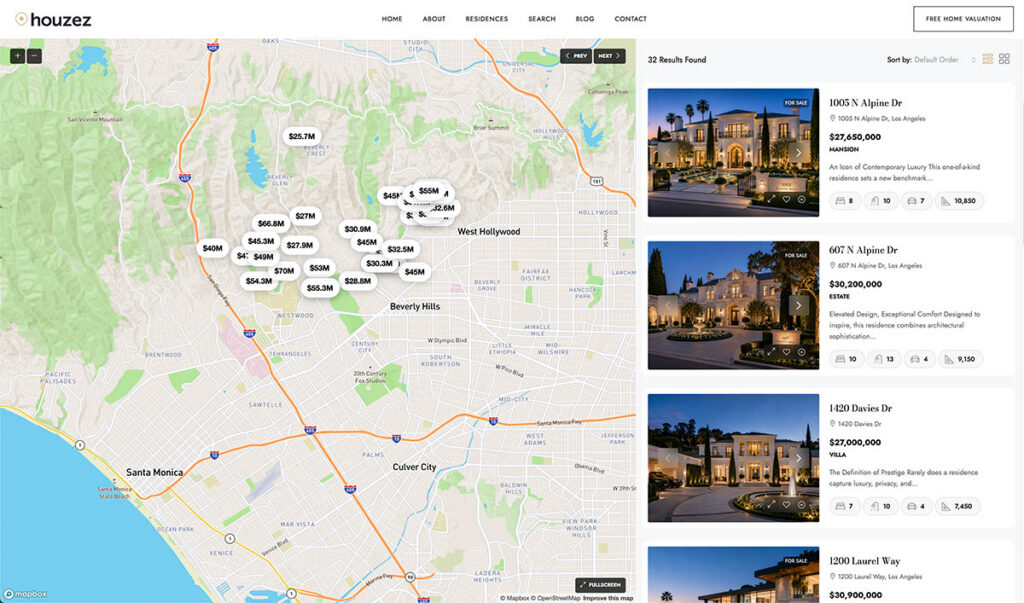
We added:
Grid Layout v8
A new grid presentation with a redesigned property card and support for:
- Default layout
- Full-width layout
- 2 columns
- 3 columns
- 4 columns
Grid Layout v9
Another completely redesigned property card style for creating a different visual experience across listing pages.
Grid v9 also supports multiple full-width column configurations.
List Layout v8
A redesigned list-style property card available in both standard and full-width layouts.
These layouts can be used across property listing pages and give you more flexibility when designing sites for different real estate brands and markets.
9 New Elementor Widgets
Houzez 4.4 also expands the Elementor toolkit with nine new widgets.
Property Card v8
Display individual properties using the new v8 property card design.
Property Cards Carousel v8
Create property carousels using the v8 card layout.
Property Cards v9
Build listing sections using the new Grid v9 design.
Property Cards Carousel v9
Turn the v9 property cards into responsive property carousels.
Property Card List v4
A new list-style property card for layouts where horizontal property presentation works better.
Property Showcase Carousel
Create more visual property showcase sections for featured listings and selected properties.
Accordion Panels
Build interactive content sections using expandable accordion-style panels.
Motion Panels
Add more dynamic visual presentation options to your Houzez pages.
Sticky Properties
Create property sections designed to remain visible while visitors move through related content.
The new v8 and v9 layouts can also be selected inside the Similar Properties, Agent Listings, and Agency Listings Elementor widgets.
More Control Over Property Card Styling
Houzez 4.4 adds additional styling controls for the media buttons and labels that appear across property cards and property detail pages.
A new Listings section is now available under:
Theme Options → Styling → Listings
You can control:
- Color
- Hover color
- Background color
- Background hover color
These settings apply to media buttons and labels across grid and list layouts.
Per-Widget Media Button Styling
Property card, carousel, and Properties Tabs Elementor widgets now include their own Media Button styling controls.
This allows you to override global settings and customize normal and hover states directly inside individual Elementor widgets.
The Single Property Top Area v1 and Top Area v2 widgets also receive their own media-button styling controls.
This makes it easier to keep property pages consistent with the branding of each website or template.
Improved Property Detail Media Navigation
The media navigation used for:
Gallery · Map · Street View · Video · 360 Tour
can now be customized from:
Theme Options → Styling → Property Details
New settings include:
- Media Nav Color
- Media Nav Background Color
By default, Houzez uses white icons over a translucent dark background, but these can now be adjusted to match your site’s visual identity.
Better Control Over Featured Property Images
The Featured Property Image Elementor widget now includes:
- Height control
- Object-fit control
This gives you more control over how listing images are displayed inside custom property templates and helps maintain consistent image proportions across different designs.
Better Email Deliverability with the New Email Sender Settings
Another major improvement in Houzez 4.4 is the new Email Sender (From Address) configuration.
You can find it under:
Theme Options → Email Management → Email Sender (From Address)
Houzez now lets you configure separate sender details for:
Lead Forms
Emails generated from:
- Property contact forms
- Agent contact forms
- Inquiry forms
- Schedule-a-tour forms
can now be sent from an email address associated with your own domain.
The visitor’s email remains in the Reply-To field, so when an agent replies, the response still goes directly to the lead.
System Emails
Membership, listing, notification, and messaging emails can also use your website’s own domain and site name instead of a generic sender identity.
Why This Matters
Sending website emails from your own domain can significantly improve compatibility with modern email authentication systems such as:
SPF and DKIM
and can reduce the chances of important lead notifications being flagged as spam.
If the fields are left blank, Houzez can automatically use your website domain.
The new system also works alongside SMTP plugins.
Important: If your SMTP plugin uses a “Force From Email” option, disable it if you want the new Houzez sender settings to take effect.
Important PHP 8 Fixes
Houzez 4.4 also addresses several issues that could affect websites running PHP 8.x.
These include fixes for cases where theme or form options were empty or missing.
The update resolves potential fatal errors affecting:
- Advanced Search
- Property detail pages
- Property cards
- Home page headers
- Agent pages
- Agency pages
- Agent dashboard
- Agent contact forms
- Agency contact forms
We also fixed an issue where some contact-form submissions could fail when field configurations were empty.
These fixes are especially useful for newly imported, migrated, or reconfigured Houzez websites.
Additional Fixes and Improvements
Houzez 4.4 also includes a number of smaller improvements.
Property Detail Media Buttons
Fixed an issue where Gallery, Map, Street View, Video, and 360 Tour buttons could open the gallery instead of switching to the correct media tab.
Property Video Quality
Property header videos now load when their tab is opened and display at full resolution, improving preview and playback quality.
Listing Tabs
Spacing has been improved across property listing, agent, and agency pages, including the Elementor Listing Tabs widget.
Email Matching Notifications
Property matching-submission emails now correctly use the website domain sender instead of a placeholder email address.
Elementor Fixes
Additional fixes include:
- Property Status widget top margin
- Section Features title color
- Agent and agency contact-form widgets
- Advanced Search widget and shortcode
Update to Houzez 4.4
Houzez 4.4 gives you more design flexibility for listings, more Elementor tools, better control over branding, improved email deliverability, and important stability fixes.
If you’re already using Houzez, we recommend updating the Houzez theme and Houzez plugins together.
Before Updating
After installing the update:
- Update the Houzez theme
- Update all Houzez plugins
- Clear your WordPress cache
- Clear any CDN cache
- Test your main property, search, and contact pages
View the Full Houzez Changelog
Not Using Houzez Yet?
Houzez gives real estate professionals, agencies, developers, and brokers a complete WordPress foundation for building modern real estate websites.
Build property listings, advanced search, agent profiles, lead generation, CRM, and custom real estate layouts — without building everything from scratch.